Compress a video for Microsoft Teams
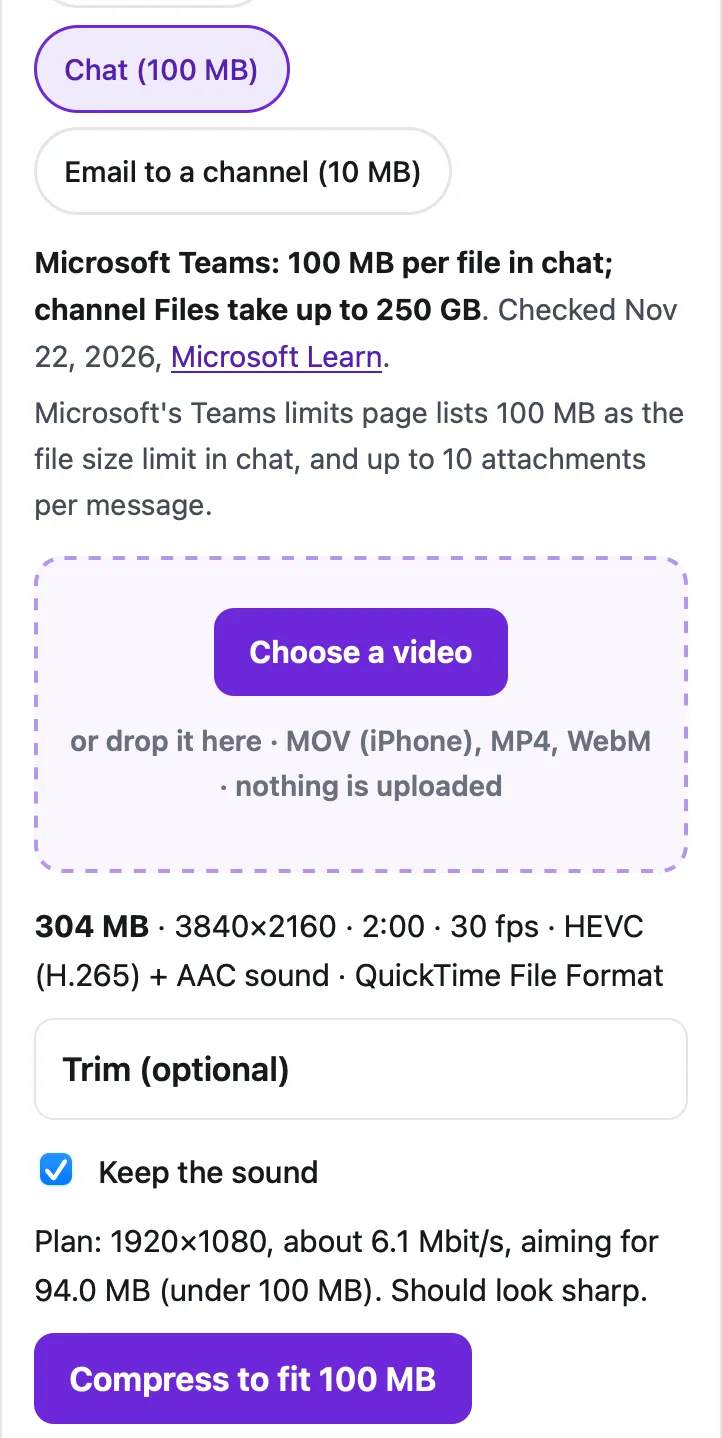
Microsoft's Teams limits page lists a 100 MB file size limit in chat (up to 10 attachments per message), attachments under 10 MB when you email a channel, and 250 GB per file in a channel's Files tab. Pick Chat or Email below and the tool shrinks the video to just under the limit on your device: our 2-minute 4K test video became 93.9 MB at 1920×1080 in 21 seconds.
Fit a video to Teams
Saves the sound track as an .m4a file (AAC), which plays in Music, Files, Windows and Android. The sound is copied without re-encoding when it's already AAC, as iPhone and most Android videos are.
Trim (optional)
Minutes:seconds, like 0:15 or 1:30. Trimming first is the best way to keep quality when the limit is small.
Starting…
Keep this page open and the screen on until it's done.
| Before | After |
|---|
On iPhone, tap "Save to Photos or Files", then Save Video (Photos) or Save to Files.
Pro is coming soon · $4.99 lifetime or $1.99 a month
- Unlimited videos a day, any length
- Batch: fit several videos in one go
Everything above is free while we launch. Leave your email and we'll write once, when Pro is ready.
Runs in your browser. Nothing is uploaded. No sign-up.
What are the Teams file size limits?
From Microsoft’s Limits and specifications for Microsoft Teams (updated November 9, 2026, checked November 22, 2026):
| Where | Limit | What Microsoft says |
|---|---|---|
| Chat | 100 MB per file, up to 10 attachments | “File size limitation: 100 MB” in the Chat table |
| Channel Files tab (SharePoint) | 250 GB per file | “File upload limit (per file): 250 GB” |
| Email sent to a channel’s address | Under 10 MB per attachment, up to 20 | “Size of each file attachment: Less than 10 MB” |
| Meeting recordings | 4 hours or 1.5 GB | “When this limit is reached, the recording ends and automatically restarts.” |
Two details explain most failed uploads. First, files in Teams live in SharePoint and OneDrive: Microsoft says that without SharePoint enabled in your organization, people “in private chat also can’t share files”, because OneDrive for Business is required. Second, emailing a channel is far stricter (under 10 MB) than posting in it.
How do I compress a video for Teams?
- Teams is selected in the tool above. Tap Chat (100 MB), or Email to a channel (10 MB) if you’re sending it to the channel’s email address.
- Tap Choose a video. On a PC or Mac, pick the .mp4 or .mov file; on an iPhone, pick it from Photo Library.
- Optional: open Trim and keep only the part your colleagues need. For screen recordings of a demo, this often cuts the size the most.
- Tap Compress to fit 100 MB and keep the tab open until it finishes.
- Download the MP4, then attach it in the Teams chat or post.
How much video fits in 100 MB?
Measured with our 2-minute test clips, made from the Creative Commons film Tears of Steel, in Safari’s engine (WebKit) on a Mac with an Apple M4 chip:
| Source | Teams option | Result | Size | Time |
|---|---|---|---|---|
| 2 min, 4K HEVC .mov, 304 MB | Chat (100 MB) | 1920×1080, 30 fps | 93.9 MB | 21 seconds |
| 2 min, 4K HEVC .mov, 304 MB | Email to a channel (10 MB) | 640×360, 30 fps | 9.40 MB | 23 seconds |
In desktop Chrome on the same Mac, the 100 MB run took 16 seconds. For longer videos, the tool’s plan for 100 MB keeps a 5-minute video at 720p, a 10-minute one at 960×540 and a 20-minute one at 640×360. Past about 25 minutes, it tells you the video won’t fit at a watchable size and offers to trim it.
When should you share a link instead?
For anything long: a full meeting recording, a training session, a recorded webinar. Upload it to the channel’s Files tab (SharePoint takes files up to 250 GB) or to your OneDrive, and share the link in the chat. Nothing is shrunk, and the chat stays light.
Compressing is the better choice when the video is short and people should play it right in the chat, or when it’s going to someone outside your organization by email. For email, the limits are lower still: see compressing a video for Outlook (10 MB for many work accounts) and getting a video under 25 MB for Gmail.
Questions people ask
What is the file size limit in Microsoft Teams chat?
100 MB per file, according to Microsoft's Limits and specifications for Microsoft Teams, with up to 10 file attachments per message.
How big a file can I upload to a Teams channel?
Channel files are stored in SharePoint, where Microsoft lists a file upload limit of 250 GB per file. Upload big videos to the channel's Files tab and link them in the conversation.
What is the attachment limit when emailing a Teams channel?
Each attachment has to be under 10 MB, with up to 20 attachments, according to the same Microsoft page. Use the Email to a channel (10 MB) option in the tool.
How do I share a Teams meeting recording that's too big?
Microsoft lists a maximum recording length of 4 hours or 1.5 GB. A recording that long won't fit 100 MB at a watchable size, so share it from OneDrive or SharePoint, or trim the part people need and compress that.
Is my video uploaded to Microsoft or to you when I compress it?
No. The tool compresses the video in your browser; nothing is sent anywhere until you attach the result in Teams yourself.
Related
- Compress for OutlookShrink a video under Outlook's 20 MB attachment limit (10 MB for many work accounts) in your browser, so the email sends. Free, nothing uploaded.
- Compress for GmailCompress a video to just under Gmail's 25 MB attachment limit in your browser, so it arrives as a real attachment, not a Drive link. Nothing uploaded.
- Too large to email from iPhoneiPhone says the video is too large to email? Send it with Mail Drop (up to 5 GB) or shrink it under 20–25 MB in Safari. Steps and real limits.
- All Cube toolsShrink a video to fit Gmail, Discord, WhatsApp or any limit