Compress a video for Discord
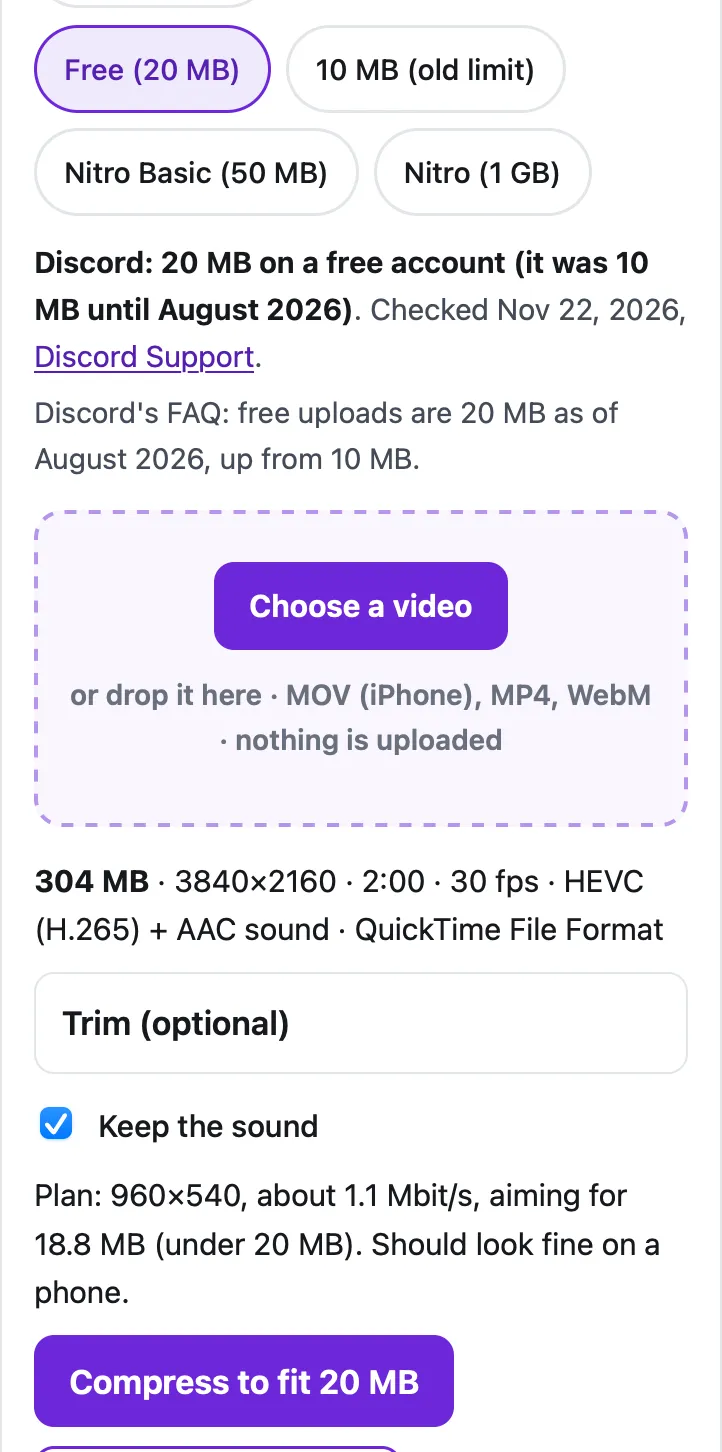
Discord's free upload limit is now 20 MB per file (it was 10 MB until August 2026); Nitro Basic allows 50 MB and Nitro 1 GB. Pick your plan below and choose the video, and the tool makes an MP4 just under that size on your device. In our test, a 2-minute 4K iPhone-style video (304 MB) became 18.6 MB at 960×540 in 21 seconds in Safari's engine on a Mac.
Fit a video to Discord
Saves the sound track as an .m4a file (AAC), which plays in Music, Files, Windows and Android. The sound is copied without re-encoding when it's already AAC, as iPhone and most Android videos are.
Trim (optional)
Minutes:seconds, like 0:15 or 1:30. Trimming first is the best way to keep quality when the limit is small.
Starting…
Keep this page open and the screen on until it's done.
| Before | After |
|---|
On iPhone, tap "Save to Photos or Files", then Save Video (Photos) or Save to Files.
Pro is coming soon · $4.99 lifetime or $1.99 a month
- Unlimited videos a day, any length
- Batch: fit several videos in one go
Everything above is free while we launch. Leave your email and we'll write once, when Pro is ready.
Runs in your browser. Nothing is uploaded. No sign-up.
What is Discord’s file size limit in 2026?
Discord raised the free limit in August 2026. Its File Attachments FAQ now says: “For non-Nitro subscribers, the maximum file upload is 20MB.” Here is the whole picture, from Discord’s own help pages, checked on November 22, 2026:
| Account or server | Largest file you can upload |
|---|---|
| Free account | 20 MB (10 MB before August 2026) |
| Nitro Basic | 50 MB |
| Nitro | 1 GB |
| Server with Boost level 2 | 50 MB for everyone, in that server only |
| Server with Boost level 3 | 100 MB for everyone, in that server only |
Two details matter if you send videos from your phone. First, the FAQ says Discord now checks the size before its own compression on mobile too, so Android users “may hit the size limit more often”. Second, Discord says it is “experimenting with various file upload size limits”, so a friend may be able to send bigger files than you. If someone tells you 10 MB is still their limit, use the 10 MB option in the tool.
How do I compress a video for Discord on iPhone?
- Open this page in Safari. Discord is already selected in the tool above; tap your plan if it isn’t the free 20 MB one.
- Tap Choose a video, then Photo Library, and pick the clip. iPhone videos are .mov files in the HEVC format; the tool reads them directly.
- Optional: open Trim and type a start and end, like 0:10 and 0:55. Shorter clips keep more detail.
- Tap Compress to fit 20 MB and keep Safari open, with the screen on, until it finishes.
- Tap Save to Photos or Files, then Save Video. In Discord, tap + in the message box and pick the new video.
On Android, the steps are the same in Chrome: tap Choose a video, pick it from Photos or Files, then Download when it’s done.
How small does a video get, and how long does it take?
We ran the tool on two test videos made from the Creative Commons film Tears of Steel: a 2-minute 4K HEVC clip recorded the way an iPhone stores it (304 MB, 30 fps, stereo sound), and a 2-minute 1080p H.264 clip like an Android phone makes (242 MB). The times are from Safari’s engine (WebKit) on a Mac with an Apple M4 chip. Phones are slower than this Mac, so allow more time on yours.
| Video | Target | Result | Size | Time |
|---|---|---|---|---|
| 2 min, 4K HEVC | 20 MB (free) | 960×540, 30 fps | 18.6 MB | 21 seconds |
| 2 min, 4K HEVC | 10 MB (old limit) | 640×360, 30 fps | 9.41 MB | 23 seconds |
| 2 min, 1080p H.264 | 20 MB (free) | 960×540, 30 fps | 18.7 MB | 5.8 seconds |
| 2 min, 1080p H.264 | 10 MB (old limit) | 640×360, 30 fps | 9.51 MB | 5.9 seconds |
At 10 MB the tool also switches the sound to mono, which frees about half the sound’s share for the picture. If an encode ever comes out over the limit, the tool measures the real size and encodes again at a lower bitrate, so it can take up to three passes.
How long a video fits in Discord’s limit?
The limit is a size, so the longer the video, the fewer bits each second gets. These are the tool’s own planning numbers for a 30 fps phone video with sound:
- 20 MB: a 30-second clip stays at 1080p; 1 minute fits at 720p; 2 minutes at 960×540; up to about 5 minutes at 360p or better.
- 10 MB: 30 seconds at 720p; 1 minute at 960×540; 2 minutes at 640×360; up to about 2½ minutes at 360p or better.
- 50 MB (Nitro Basic): 2 minutes at 720p; 5 minutes at 960×540.
When a video can’t fit at a watchable quality, the tool says so instead of making a blurry mess, and offers to trim it to the length that fits. Trimming is the best way to keep detail: cut the parts nobody needs before you compress.
What if the video still won’t fit Discord?
Send a link instead of the file. Upload the video to Google Drive, iCloud Drive or OneDrive, copy its share link, and paste it in the chat. People tap the link to watch the full-quality version, and there’s no size limit to worry about. In a server that has reached Boost level 2 or 3, everyone can upload 50 MB or 100 MB files there, so ask whether your server qualifies.
If the video is long because it’s a screen recording of a game, trimming to the moment that matters (often under 30 seconds) gives you a sharp 1080p clip well inside 20 MB. For other destinations, see compressing a video for WhatsApp and getting a video under 25 MB for Gmail.
Questions people ask
What is Discord's file size limit without Nitro?
20 MB per file. Discord's File Attachments FAQ says the free limit went up from 10 MB to 20 MB in August 2026. Nitro Basic allows 50 MB and Nitro up to 1 GB.
How do I compress a video to under 10 MB?
Tap Discord, then the 10 MB (old limit) option, and choose the video. Our 2-minute 4K test clip came out at 9.41 MB (640×360). For a sharper result at 10 MB, trim the video to about a minute first.
Can I send a video bigger than 20 MB on Discord without Nitro?
Not as a file, except in a server with Boost level 2 (50 MB) or level 3 (100 MB), and those limits only apply inside that server. Otherwise share a Google Drive, iCloud Drive or OneDrive link in the chat.
Why does my compressed video look blurry?
Because the size is fixed and the length isn't. A 2-minute video in 20 MB gets about 1.1 Mbit/s for the picture, so the tool drops it to 960×540 to keep it clean. A 30-second clip in the same 20 MB stays at 1080p.
Does this upload my video anywhere?
No. The video is read, compressed and saved by your own browser. You can check in your browser's network panel: nothing is sent while it works.
Related
- Compress for GmailCompress a video to just under Gmail's 25 MB attachment limit in your browser, so it arrives as a real attachment, not a Drive link. Nothing uploaded.
- Compress for WhatsAppFit a video to WhatsApp's 100 MB video limit, its 64 MB slow-connection limit or a 90-second Status, in your browser. Free, nothing uploaded.
- Send a long video on iMessageLong video won't send in Messages, or arrives blurry? Apple's own fixes (AirDrop, iCloud link, Mail Drop), carrier MMS limits, and how to shrink it.
- All Cube toolsShrink a video to fit Gmail, Discord, WhatsApp or any limit